Call Guard
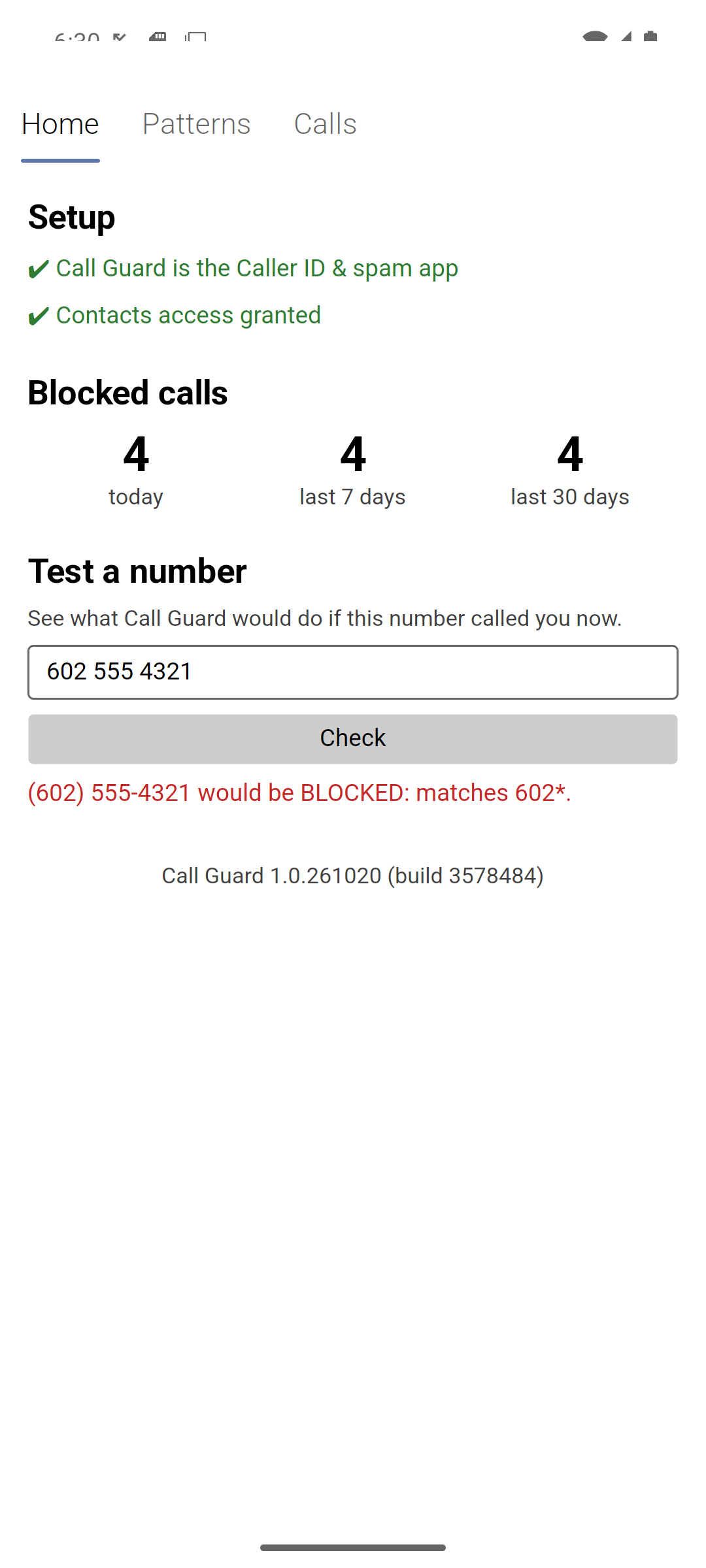
Block unwanted calls by area code, country or region — the people in your contacts always get through.
Download the latest version Get started
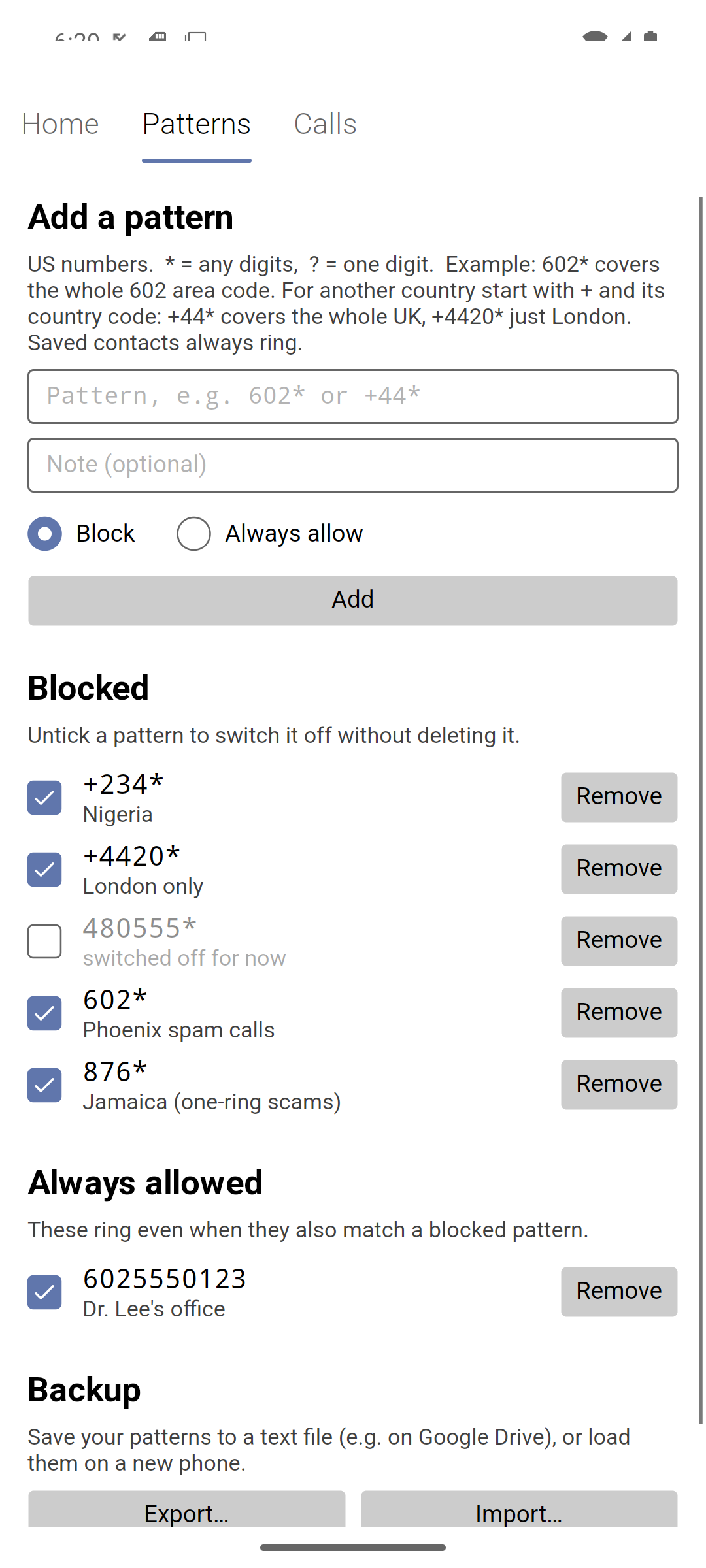
Spam calls often come from the same few area codes, or from abroad. Call Guard lets you block a whole area code, an exchange, a country or a region of a country with one short pattern — 602*, +44* — while every number saved in your contacts still rings. Blocked calls never ring: your phone stays silent and the caller goes to voicemail.
What it does
- Blocks by pattern. A US area code (
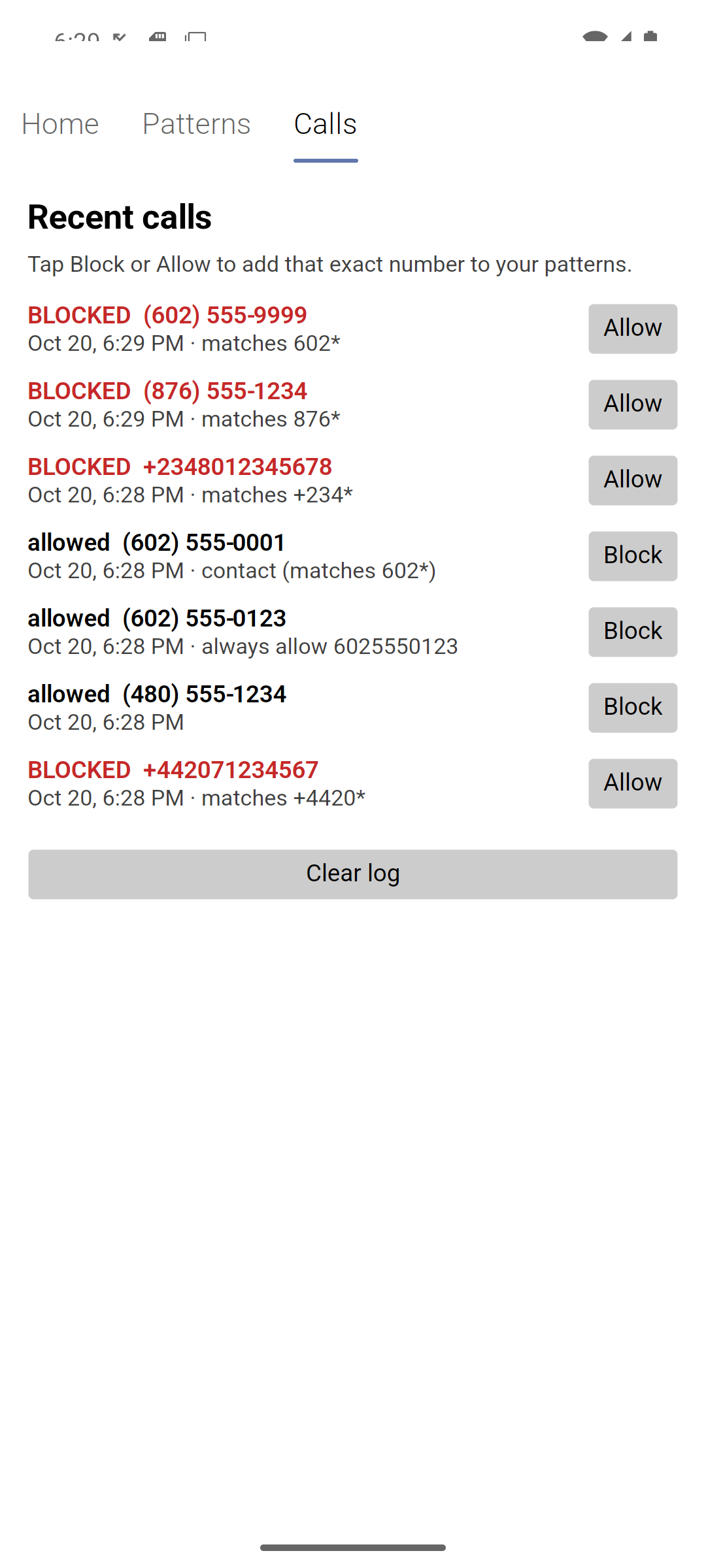
602*), an exchange (602555*), one number, a whole country (+234*) or one region of a country (+4420*— London). All about patterns. - Your contacts always ring, even when their number matches a blocked pattern.
- Always allow the exceptions — say, a doctor’s office inside a blocked area code.
- Switch patterns on and off with a check box, without deleting them.
- See what happened: every screened call is listed with the reason it was blocked or allowed, and Test a number tells you what would happen before anyone calls.
- Works in the background, even when the app is closed and the phone is locked — no screen pops up.
- Fails safe: if anything goes wrong, the call rings. Call Guard never blocks a call because of a problem.
- Private: Call Guard only asks for access to your contacts, has no internet access, and keeps everything on your phone. How it works.
Requirements
- An Android phone with Android 10 or later. Built and tested for Google Pixel phones.
- If you use Google Voice, a few Voice settings need to change so that Call Guard sees each caller’s real number — see Setup.
Get started
- Install Call Guard from the latest release.
- Set it up: two taps in the app, plus a few phone and Google Voice settings.
- Add your patterns and check them with Test a number.
Questions? See Troubleshooting & FAQ.